Custom UI Modules
These modules allow the creation of custom React components and can be used to create more complex interfaces (such as dashboards, for instance). These are created in a small separate "frontend" project (located next to the rest of the extension code), where each module is compiled as a self-contained JS file, generated in IIFE format.
Their config takes the following fields:
- id [required]: string to identify the module within the extension.
- type [required]: "interface", for custom UI modules.
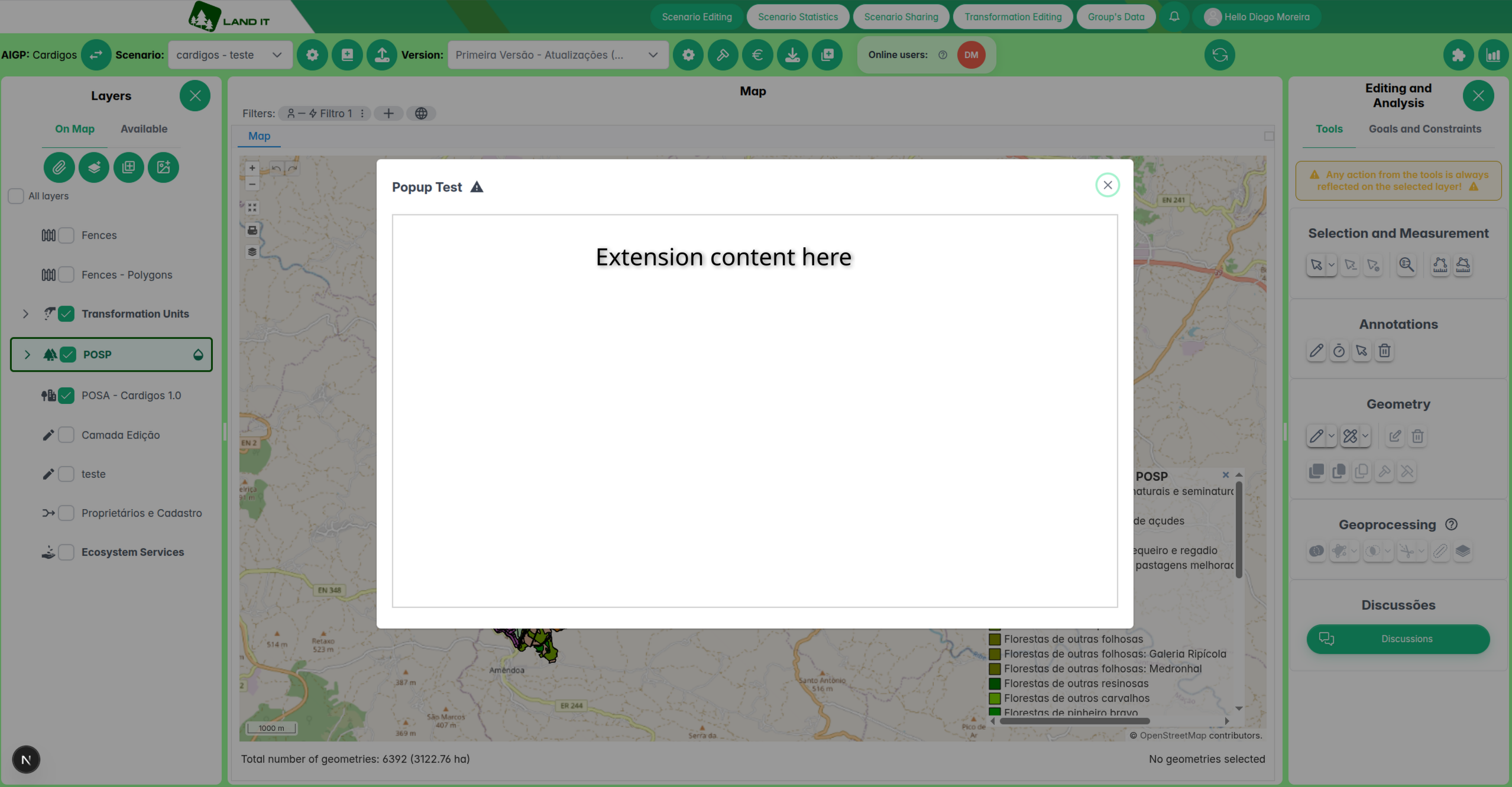
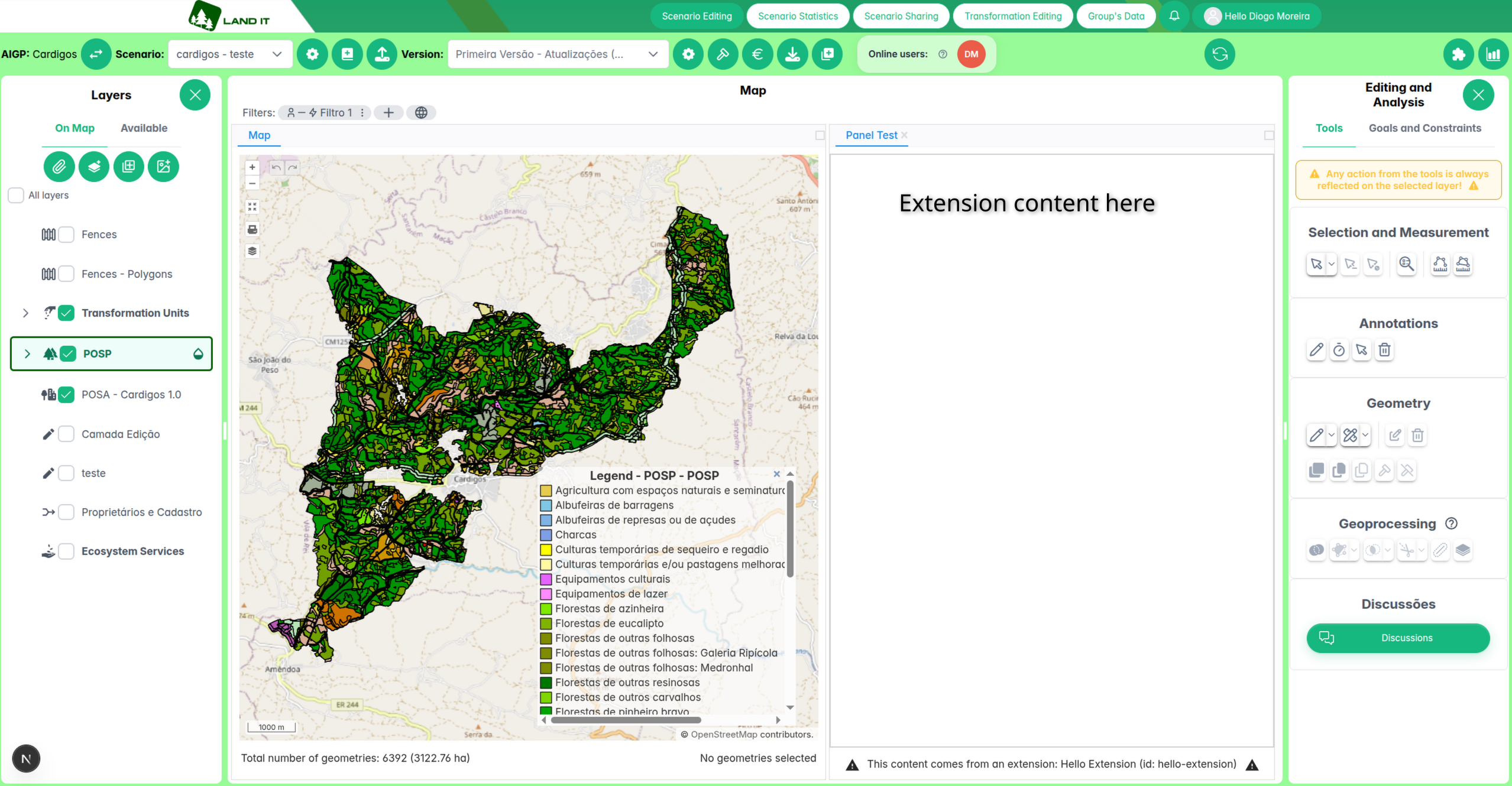
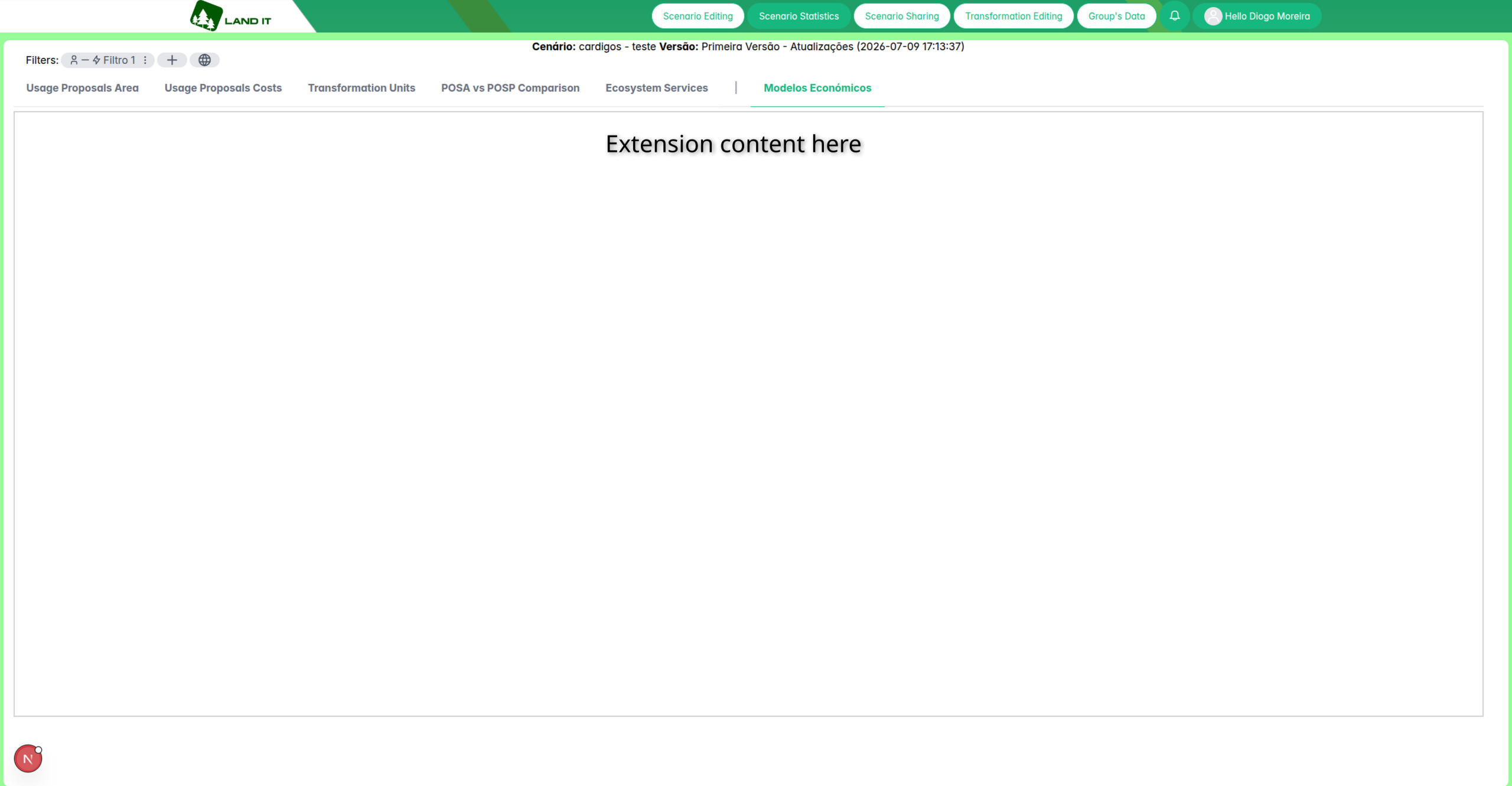
- subtype [required]: the type of UI module, which dictates where and how it will appear in the frontend. Right now, the following subtypes are supported:
scenario-popup: opens the module in a (modal) pop-up, accessible from the scenario editing page.scenario-panel: opens the module in a panel, next to the map, in the scenario editing page. It does not block the rest of the interface, unlike the pop-up.singlestats-panel: accessible from the scenario version statistics page.
- component [required]: name of the generated JS file that contains this module, as defined in the vite config (see further below for examples). It must not contain the ".js" file extension - for example, if the module is generated to a file named "ExamplePopup.js", then this field is simply "ExamplePopup".
- displayName: user-friendly string that appears in the menus and as the header of the UI module.
Config examples
Example of a custom UI module that appears in the scenario editing page (subtype: scenario-popup):
{
    "id": "example-ui",
    "type": "interface",
    "subtype": "scenario-popup",
    "component": "ExamplePopup",
    "displayName": "Exemplo de Popup Personalizado"
}
Example of a custom UI module that appears in the scenario version statistics page (subtype: singlestats-panel):
{
    "id": "models-panel",
    "type": "interface",
    "subtype": "singlestats-panel",
    "component": "ModelsPanel",
    "displayName": "Modelos Económicos"
}
Module subtypes examples
scenario-popup
scenario-panel
singlestats-panel
To communicate with the main application use the landit-extensions-sdk package (installed from github:LAND-IT/sdk as in the template), which contains an "api" object with several methods to retrieve information about the current scenario/version, layers and geometries. More information about it can be found here.
If using the provided template for extensions, the "frontend" project is a Vite project (TypeScript + React), where you have:
- The "src" folder: location of the UI modules' code. Each module should have a custom React component (tsx file) and a
main.tsxfile that defines amountfunction, as in the following example:
Custom UI module example
examplePopup.tsx
export function ExamplePopup() {
    ...

    return <>
        ...
    </>
}
main.tsx
function mount() {
    const rootEl = document.getElementById("root");
    if (!rootEl) return;

    createRoot(rootEl).render(<ExamplePopup />);
}

mount();
- A Vite config file for each module, that allows each module to be built independently, as shown in the example below:
Vite config file example
Example for the "ExamplePopup" module:
vite.examplePopup.config.ts
export default defineConfig({
    plugins: [react()],
    build: {
        emptyOutDir: false,
        cssCodeSplit: true,
        assetsInlineLimit: 10000000,
        rollupOptions: {
            input: {
                // Path to the main.tsx file of the module
                "ExamplePopup": "src/examplePopup/main.tsx",
            },
            output: {
                format: "iife",
                entryFileNames: "[name].js", // The output file will be "ExamplePopup.js"
                inlineDynamicImports: true,
            },
        },
    },
});
Then, in the package.json file, add a script for this module and add it to the build:all script too.
 "scripts": {
    ...
    "build:examplePopup": "vite build --config vite.examplePopup.config.ts",
    "build:all": "npm run build:examplePopup"
  },
If making more than one module, repeat this process: create the vite config file, add a script in the package.json file and modify the build:all script, for example:
 "scripts": {
    ...
    "build:examplePopup": ...
    "build:anotherComponent": "vite build --config vite.anotherComponent.config.ts",
    "build:all": "npm run build:examplePopup && npm run build:anotherComponent"
  },