Extensions
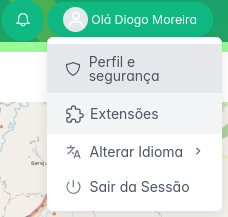
You can find the extensions' menu by clicking on your profile, as shown in the image:
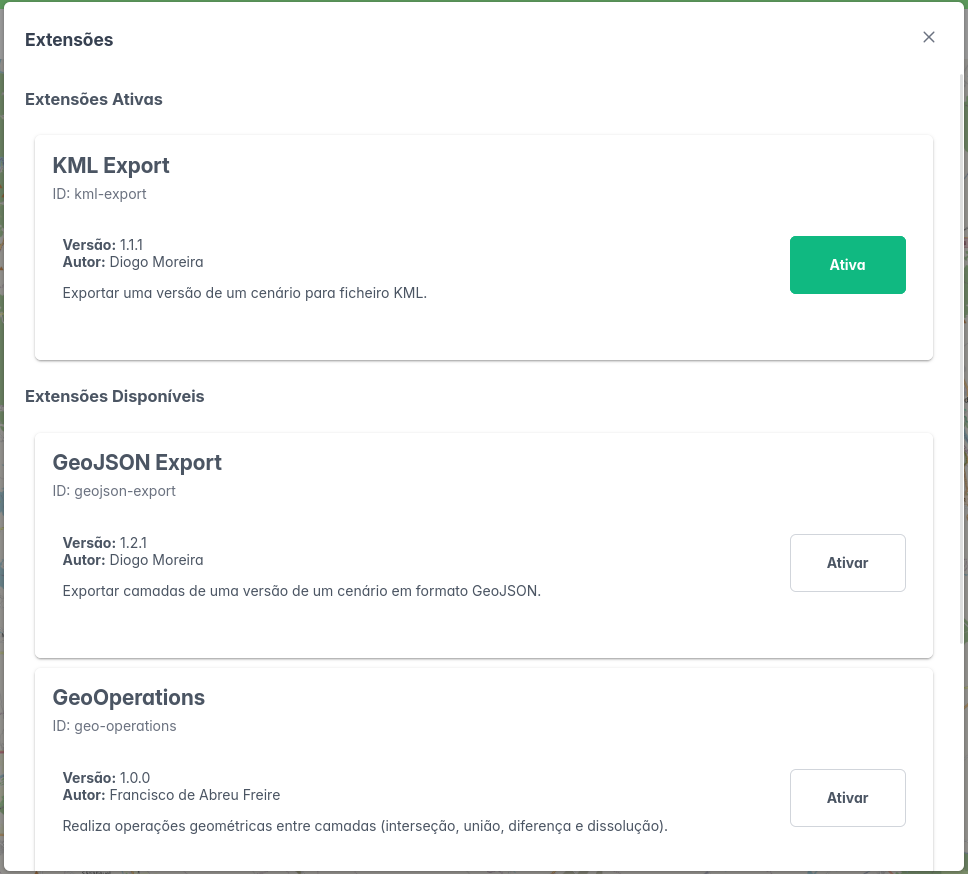
Here, you can see the list of extensions available in LAND IT. To start using an extension, you need to enable it first, by using the "Enable" button. To disable an extension, press the same button again.
Extension Documentation
To document an extension, use the following template:
Markdown
---
id: template-extension /* extension id */
sidebar_label: Extension Template /* extension name */
---

# Extension Template

- **ID**: template-extension
- **Author**: Diogo Moreira
  * Contact: df.moreira@campus.fct.unl.pt /* Email address, github page, etc. */
- **Current Version**: 1.1.0
- **Summary**: Brief description of the purpose of the extension.

### Functionality

Use this section to explain in detail how the extension works and how to use it. You may include text, images, etc.

### *Changelog*

Use this section to document the changes made in each version of the extension.

- 1.1.0
    * Change 1
    * Change 2
    * ...
- 1.0.0
    * Initial version of the extension
Example
Extension Template
- ID: template-extension
- Author: Diogo Moreira
- Contact: df.moreira@campus.fct.unl.pt
- Current Version: 1.1.0
- Summary: Brief description of the purpose of the extension.
Functionality
Use this section to explain in detail how the extension works and how to use it. You may include text, images, etc.
Changelog
Use this section to document the changes made in each version of the extension.
- 1.1.0
- Change 1
- Change 2
- ...
- 1.0.0
- Initial version of the extension